For board members
The books, before the meeting
Income, variance, and who is in arrears, without waiting on last month's spreadsheet.
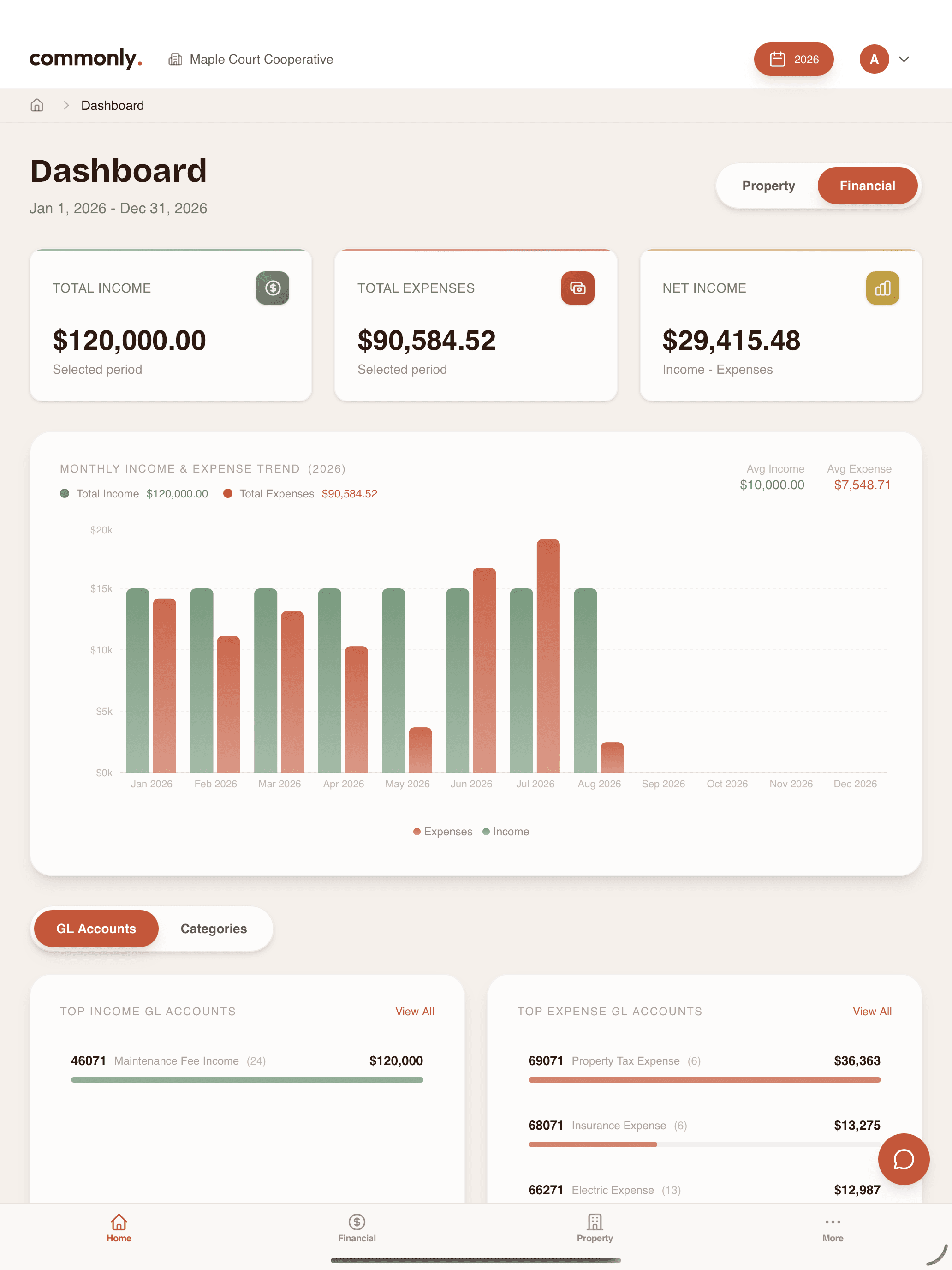
Financials the board can read
Period income and expense, the trend, and the GL accounts underneath. Ready before someone asks for the packet.
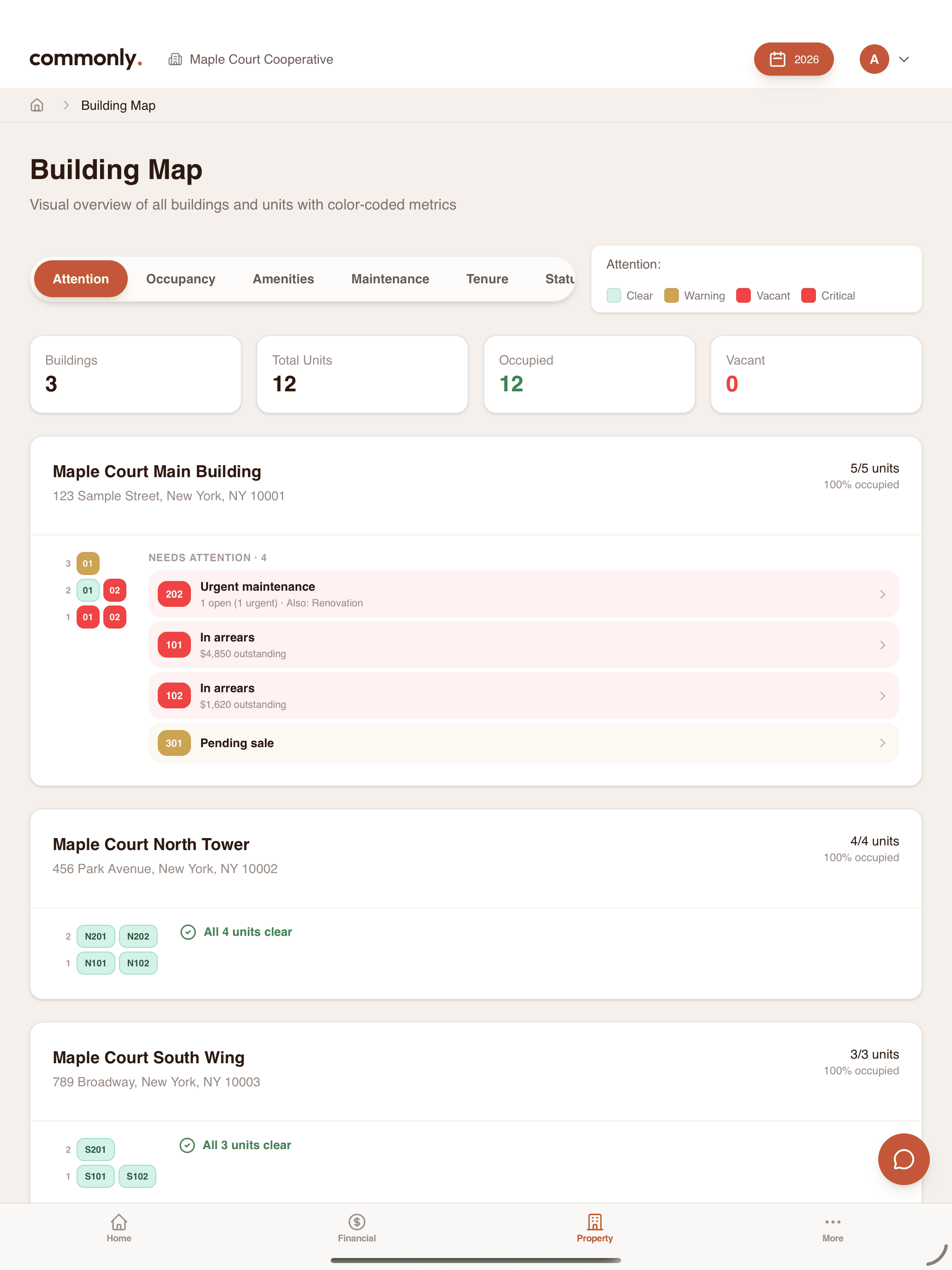
Attention on the floor plate
Open maintenance, arrears, and pending sales sit on the unit. The portfolio view is the building, not a status column.
Ask the building
The same AI assistant that lives in the app. Ask in plain English. It reads your books, not a generic model of someone else's coop.
Board member FAQ
How quickly can our board get up and running?+
Most boards are fully operational within a day. Import your existing financial data and shareholder records, and you will have immediate access to dashboards and reports.
Can different board members have different access levels?+
Yes. Role-based access control lets you set permissions for board presidents, treasurers, secretaries, and general board members with different visibility levels.
How does Commonly handle multi-building portfolios?+
Each building has its own financial dashboard and reports, with a portfolio-level view that aggregates data across all your properties for high-level oversight.
What financial reports can I generate?+
Income statements, balance sheets, budget variance reports, cash flow statements, and custom reports. All exportable as PDF or Excel with one click.
Is our financial data secure?+
Bank-level 256-bit encryption, SOC 2 compliance, and complete data isolation between organizations. Your data is never shared or accessible to other cooperatives.
Can we import data from our current accounting system?+
Commonly supports imports from DGL, QuickBooks, and CSV/Excel files. Our smart import tool automatically maps your data fields for a seamless transition.
One set of books.